Hey,
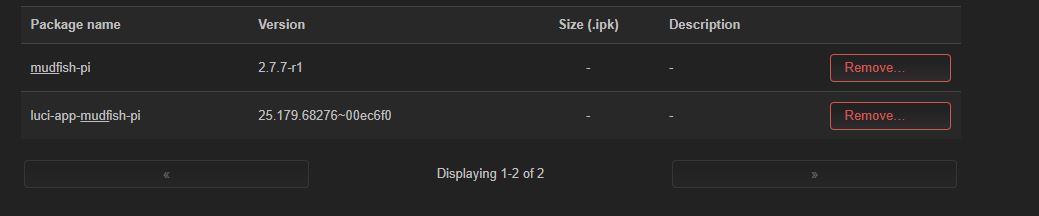
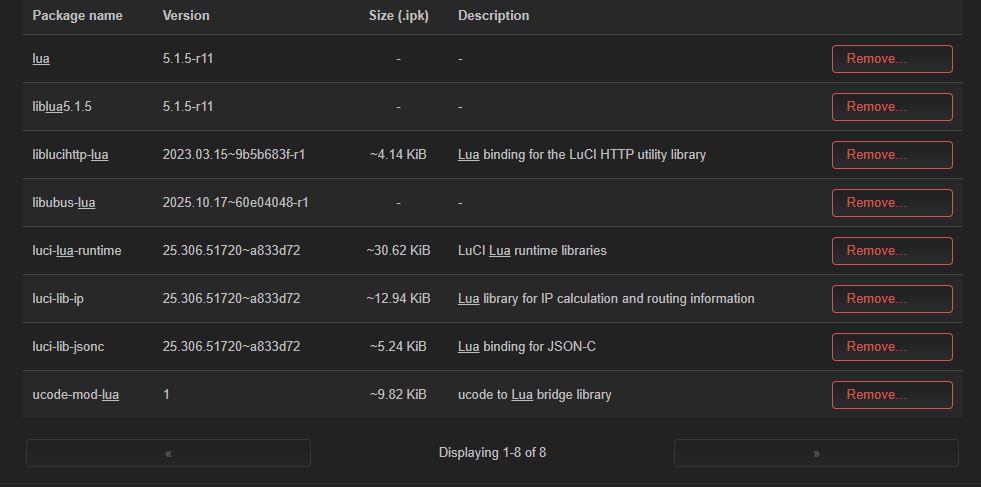
I have problem with Mudfish on openwrt 24.10.5 after installing all dependencies and Luci, the app starts quitting randomly. After that, I check 192.168.1.1:8282/dashboard, which shows an error (empty response). no page i have to restart the app either through UI or Terminal. down below I past all of (mudfish_stdout.txt & .conf file & system info). But when I use windows app, I have no issue, and it keeps running until i disconnect by myself.
system info:
| Hostname | OpenWrt |
|---|---|
| Model | Bananapi BPI-R4 |
| Architecture | ARMv8 Processor rev 0 |
| Target Platform | mediatek/filogic |
| Firmware Version | OpenWrt 24.10.5 r29087-d9c5716d1d / LuCI openwrt-24.10 branch 26.009.16175~a52bc12 |
| Kernel Version | 6.6.119 |
mudfish_stdout.txt
Mon, 09 Feb 2026 03:03:31 GMT [0.000776] [INFO] mudfish-pi v2.7.7 (for arm64)
Mon, 09 Feb 2026 03:03:31 GMT [0.000868] [INFO] Timestamp (localtime): Mon Feb 9 03:03:31 2026
Mon, 09 Feb 2026 03:03:31 GMT [0.000888] [INFO] Connection protocol: udp
Mon, 09 Feb 2026 03:03:31 GMT [0.000907] [INFO] Authenticating…
Mon, 09 Feb 2026 03:03:32 GMT [0.666563] [INFO] Fetching the static node for v2…
Mon, 09 Feb 2026 03:03:34 GMT [2.680070] [INFO] Fetched 666 static nodes from the master.
Mon, 09 Feb 2026 03:03:34 GMT [2.680959] [INFO] New tap(4) interface is created: tap0
Mon, 09 Feb 2026 03:03:34 GMT [2.681099] [INFO] OpenWRT 24.10 detected.
Mon, 09 Feb 2026 03:03:34 GMT [2.709351] [INFO] No load calculation for clock.
Mon, 09 Feb 2026 03:03:34 GMT [2.711750] [INFO] re13: Ethernet address: 46:04:73:73:7f:a9
Mon, 09 Feb 2026 03:03:34 GMT [2.711910] [INFO] re89: Ethernet address: 46:04:73:73:7f:a9
Mon, 09 Feb 2026 03:03:34 GMT [2.713109] [INFO] re443: Ethernet address: 46:04:73:73:7f:a9
Mon, 09 Feb 2026 03:03:34 GMT [2.713365] [INFO] re458: Ethernet address: 46:04:73:73:7f:a9
Mon, 09 Feb 2026 03:03:34 GMT [2.715975] [INFO] msk0: Ethernet address: a6:87:a0:c7:06:82
Mon, 09 Feb 2026 03:03:34 GMT [2.716911] [INFO] re13: Broker feature is enabled. (maxconns 3)
Mon, 09 Feb 2026 03:03:34 GMT [2.717046] [INFO] re13: Connected to 45.11.183.112:10008 (UDP)
Mon, 09 Feb 2026 03:03:34 GMT [2.717216] [INFO] re89: Broker feature is enabled. (maxconns 3)
Mon, 09 Feb 2026 03:03:34 GMT [2.717337] [INFO] re89: Connected to 185.163.47.155:10008 (UDP)
Mon, 09 Feb 2026 03:03:34 GMT [2.718705] [INFO] re443: Broker feature is enabled. (maxconns 3)
Mon, 09 Feb 2026 03:03:34 GMT [2.718934] [INFO] re443: Connected to 103.143.208.203:10008 (UDP)
Mon, 09 Feb 2026 03:03:34 GMT [2.719982] [INFO] re458: Broker feature is enabled. (maxconns 3)
Mon, 09 Feb 2026 03:03:34 GMT [2.720174] [INFO] re458: Connected to 45.15.23.131:10008 (UDP)
Mon, 09 Feb 2026 03:03:34 GMT [2.729065] [INFO] Ready
Mon, 09 Feb 2026 03:03:34 GMT [2.816302] [INFO] Listening the management console at 127.0.0.1:41681
[ERROR] MUDEC_00530: Failed to fcntl(15, 6, …): 11 Resource temporarily unavailable
Mon, 09 Feb 2026 03:03:35 GMT [3.728948] [INFO] web_traffic_inspect_quic_allow: 0
Mon, 09 Feb 2026 03:03:35 GMT [3.729258] [INFO] tcprelay_direct: listening on 0.0.0.0:2 (fd 0)
Mon, 09 Feb 2026 03:03:35 GMT [3.729308] [INFO] udprelay_fastconnect: listening on 0.0.0.0:1 (fd 0)
Mon, 09 Feb 2026 03:03:35 GMT [3.729378] [INFO] udprelay_direct: listening on 0.0.0.0:2 (fd 0)
Mon, 09 Feb 2026 03:03:35 GMT [3.729519] [INFO] Reset direct relay list
Mon, 09 Feb 2026 03:03:35 GMT [3.728952] [INFO] Waiting until the client’s ready to handle the routing path list.
Mon, 09 Feb 2026 03:03:35 GMT [3.729603] [INFO] tcprelay_fastconnect: listening on 0.0.0.0:1 (fd 0)
Mon, 09 Feb 2026 03:03:35 GMT [3.736942] [INFO] Commander said: udhcpc: started, v1.36.1
Mon, 09 Feb 2026 03:03:35 GMT [3.776215] [INFO] Commander said: udhcpc: broadcasting discover
Mon, 09 Feb 2026 03:03:35 GMT [3.816246] [INFO] DHCP discover for c2:d2:0d:00:ed:e0 () from interface
Mon, 09 Feb 2026 03:03:35 GMT [3.856283] [INFO] Commander said: udhcpc: broadcasting select for 10.254.24.89, server 10.254.24.1
Mon, 09 Feb 2026 03:03:35 GMT [3.906225] [INFO] DHCP request for c2:d2:0d:00:ed:e0 () from interface
Mon, 09 Feb 2026 03:03:35 GMT [3.906398] [INFO] DHCP Client got IPv4 address now
Mon, 09 Feb 2026 03:03:35 GMT [4.036201] [INFO] Commander said: udhcpc: lease of 10.254.24.89 obtained from 10.254.24.1, lease time 2678400
Mon, 09 Feb 2026 03:03:35 GMT [4.037407] [INFO] Commander said: udhcpc: ifconfig tap0 10.254.24.89 netmask 255.255.255.0 broadcast + mtu 1400
Mon, 09 Feb 2026 03:03:35 GMT [4.038955] [INFO] Commander said: udhcpc: adding route for net 10.192.0.0/10 via 10.254.24.1
Mon, 09 Feb 2026 03:03:38 GMT [6.736358] [INFO] MFP 0 RouteAdd - 136.107.0.0 255.255.0.0 370 357956 0 n -1 0
Mon, 09 Feb 2026 03:03:38 GMT [6.736521] [INFO] re355: Ethernet address: 46:04:73:73:7f:a9
Mon, 09 Feb 2026 03:03:38 GMT [6.736744] [INFO] re355: Broker feature is enabled. (maxconns 3)
Mon, 09 Feb 2026 03:03:38 GMT [6.736972] [INFO] re355: Connected to 209.250.243.73:10008 (UDP)
Mon, 09 Feb 2026 03:03:38 GMT [6.737630] [INFO] MFP 0 RouteAdd - 136.108.0.0 255.252.0.0 370 357956 0 n -1 0
Mon, 09 Feb 2026 03:03:38 GMT [6.737833] [INFO] MFP 0 RouteAdd - 136.112.0.0 255.240.0.0 370 357956 0 n -1 0
Mon, 09 Feb 2026 03:03:38 GMT [6.737996] [INFO] MFP 0 RouteAdd - 34.128.0.0 255.192.0.0 370 357956 0 n -1 0
Mon, 09 Feb 2026 03:03:38 GMT [6.738156] [INFO] MFP 0 RouteAdd - 34.16.0.0 255.240.0.0 370 357956 0 n -1 0
Mon, 09 Feb 2026 03:03:38 GMT [6.738310] [INFO] MFP 0 RouteAdd - 34.160.204.0 255.255.255.0 370 357956 0 n -1 0
Mon, 09 Feb 2026 03:03:38 GMT [6.738463] [INFO] MFP 0 RouteAdd - 34.32.0.0 255.224.0.0 370 357956 0 n -1 0
Mon, 09 Feb 2026 03:03:38 GMT [6.738603] [INFO] MFP 0 RouteAdd - 34.4.128.0 255.255.128.0 370 357956 0 n -1 0
Mon, 09 Feb 2026 03:03:38 GMT [6.738730] [INFO] MFP 0 RouteAdd - 34.4.16.0 255.255.240.0 370 357956 0 n -1 0
Mon, 09 Feb 2026 03:03:38 GMT [6.738855] [INFO] MFP 0 RouteAdd - 34.4.32.0 255.255.224.0 370 357956 0 n -1 0
Mon, 09 Feb 2026 03:03:38 GMT [6.738982] [INFO] MFP 0 RouteAdd - 34.4.5.0 255.255.255.0 370 357956 0 n -1 0
Mon, 09 Feb 2026 03:03:38 GMT [6.739109] [INFO] MFP 0 RouteAdd - 34.4.6.0 255.255.254.0 370 357956 0 n -1 0
Mon, 09 Feb 2026 03:03:38 GMT [6.739245] [INFO] MFP 0 RouteAdd - 34.4.64.0 255.255.192.0 370 357956 0 n -1 0
Mon, 09 Feb 2026 03:03:38 GMT [6.739400] [INFO] MFP 0 RouteAdd - 34.4.8.0 255.255.248.0 370 357956 0 n -1 0
Mon, 09 Feb 2026 03:03:38 GMT [6.739531] [INFO] MFP 0 RouteAdd - 34.5.0.0 255.255.0.0 370 357956 0 n -1 0
Mon, 09 Feb 2026 03:03:38 GMT [6.739659] [INFO] MFP 0 RouteAdd - 34.6.0.0 255.254.0.0 370 357956 0 n -1 0
Mon, 09 Feb 2026 03:03:38 GMT [6.739821] [INFO] MFP 0 RouteAdd - 34.64.0.0 255.192.0.0 370 357956 0 n -1 0
Mon, 09 Feb 2026 03:03:38 GMT [6.739950] [INFO] MFP 0 RouteAdd - 34.8.0.0 255.248.0.0 370 357956 0 n -1 0
Mon, 09 Feb 2026 03:03:38 GMT [6.740080] [INFO] MFP 0 RouteAdd - 35.184.0.0 255.248.0.0 370 357956 0 n -1 0
Mon, 09 Feb 2026 03:03:38 GMT [6.740220] [INFO] MFP 0 RouteAdd - 35.192.0.0 255.240.0.0 370 357956 0 n -1 0
Mon, 09 Feb 2026 03:03:38 GMT [6.740353] [INFO] MFP 0 RouteAdd - 35.208.0.0 255.240.0.0 370 357956 0 n -1 0
Mon, 09 Feb 2026 03:03:38 GMT [6.740481] [INFO] MFP 0 RouteAdd - 35.224.0.0 255.240.0.0 370 357956 0 n -1 0
Mon, 09 Feb 2026 03:03:38 GMT [6.740612] [INFO] MFP 0 RouteAdd - 35.240.0.0 255.248.0.0 370 357956 0 n -1 0
Mon, 09 Feb 2026 03:03:38 GMT [6.740739] [INFO] MFP 0 RouteAdd - 95.175.128.0 255.255.240.0 370 357956 0 n -1 0
Mon, 09 Feb 2026 03:18:50 GMT [918.490255] [INFO] Shutting down.
Mon, 09 Feb 2026 03:18:50 GMT [918.490376] [INFO] Cleaning up 5 static routing pathes.
Config file:
| mudrun.announcement_epoch | 0 |
|---|---|
| mudrun.autoconnect | off |
| mudrun.autologin | on |
| mudrun.bgimg_url | /images/bg/1.jpg |
| mudrun.direct_relay_custom_list | |
| mudrun.direct_relay_web_traffic | off |
| mudrun.enable_rtt_check | off |
| mudrun.item_conf_mode | default |
| mudrun.jwt | XXXXX |
| mudrun.lang | en |
| mudrun.max_rtt_check_threads | 2 |
| mudrun.per_eaddrs | |
| mudrun.shm_reclen | 0.50k |
| mudrun.token_v3 | XXXX |
| mudrun.username | XXXX |
| mudrun.vsl_space | 1M |
| mudrun.vsm_space | 128k |
| mudrun.web_traffic_custom_domains | |
| mudrun.web_traffic_inspect | off |
| mudrun.web_traffic_item_domain_inspect | off |
| mudrun.web_traffic_quic_traffic_allow | off |
Kindly, please let me know if something is missing or there are a fix.
Thanks.
 If possible, please send us coredump file if it’s created.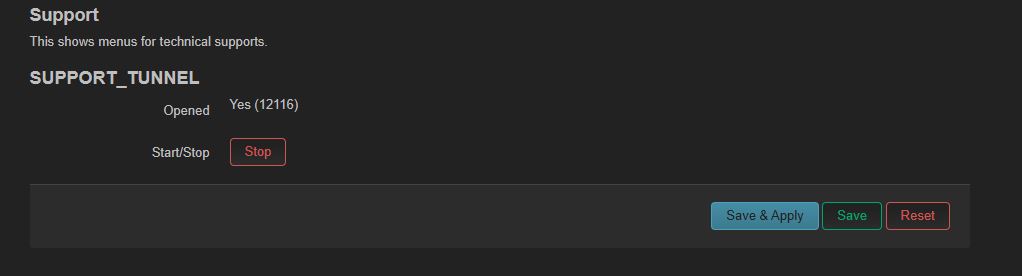
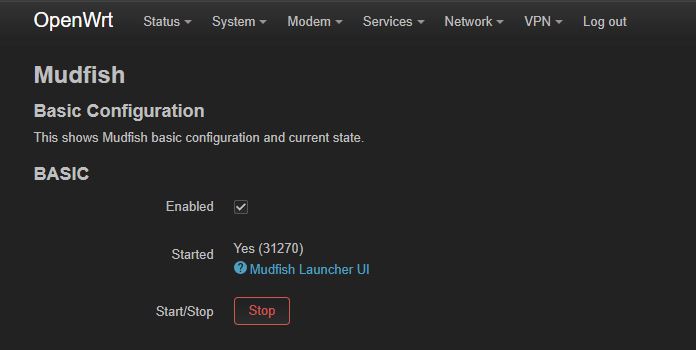
 I hope now everything goes well with mudfish. Please let me know if there are any other problems.