BNS NEO Korea - Increased Latency Multiple Nodes

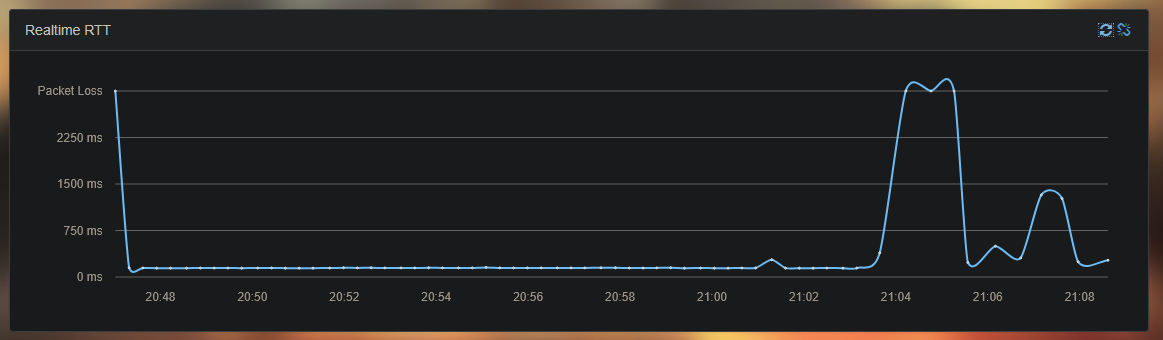
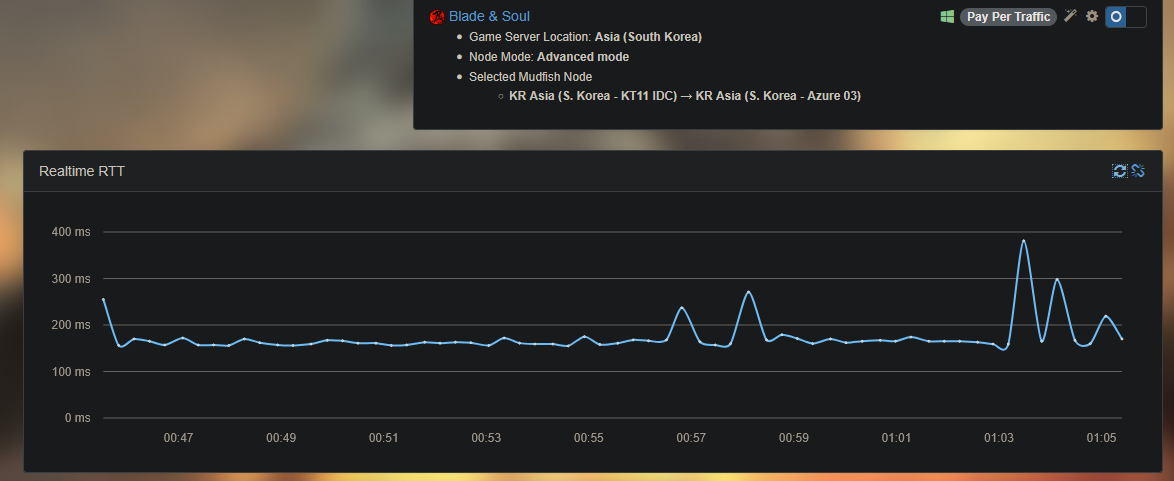
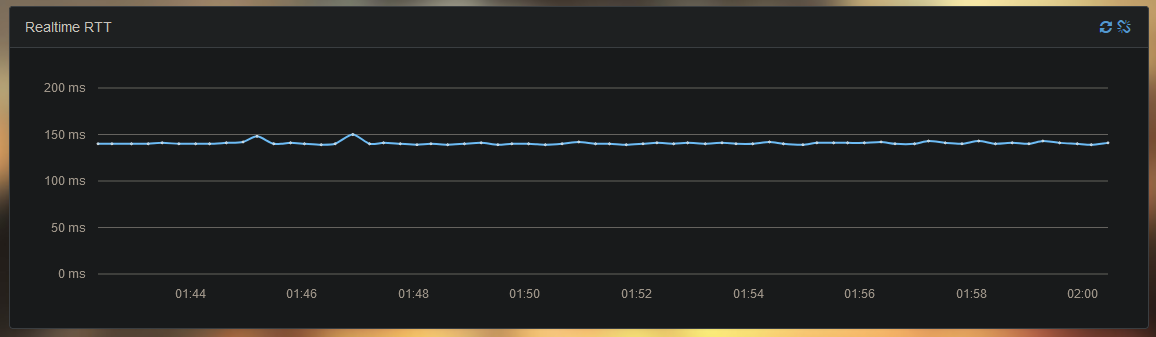
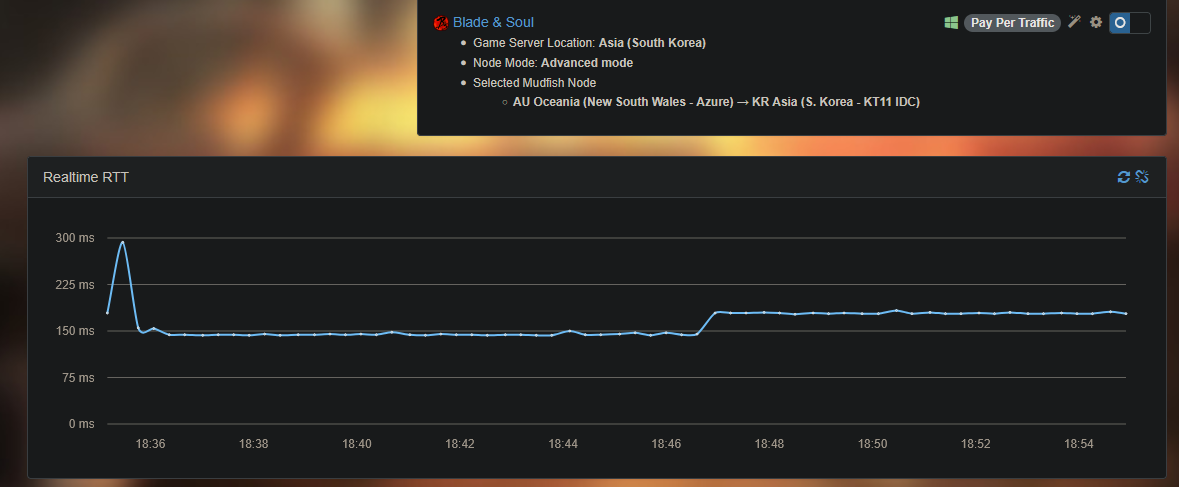
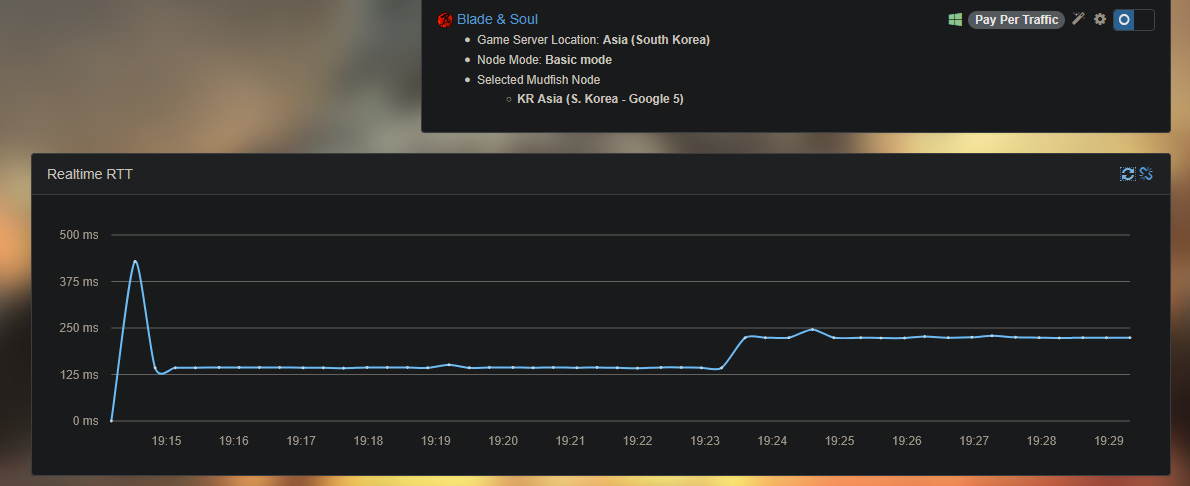
For about two weeks now my latency to the Korean server ranges from 160-250 ms, when usually I’d have 145-150 ms.

I used a different VPN service and it doesn’t seems to be as much as problem with the nodes they use.

Able to shed some light as to what’s causing the increased latency?

Past couple of weeks:


Normally:

If you’re connecting to Mudfish from Austraila, most of cases this is triggered by the change of the international routing path between AU and KR.

I’m not sure that it’s helpful but please try to turn on “Include the result for the advanced mode” option which found under ‘Setup → Nodes’ menu. When it’s enabled, Today’s Pathes will show you the advanced results for route pathes.

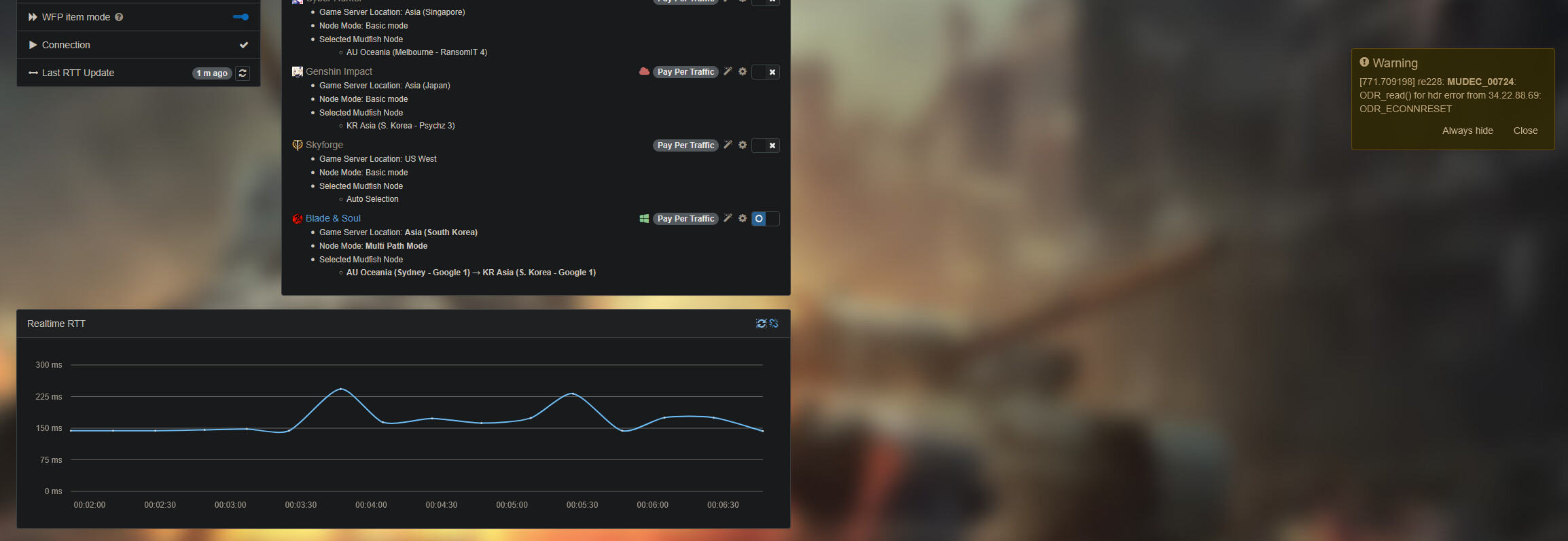
But if I use Multi Path Mode doesn’t it ensure that the games traffic is being routing directly via the nodes selected?

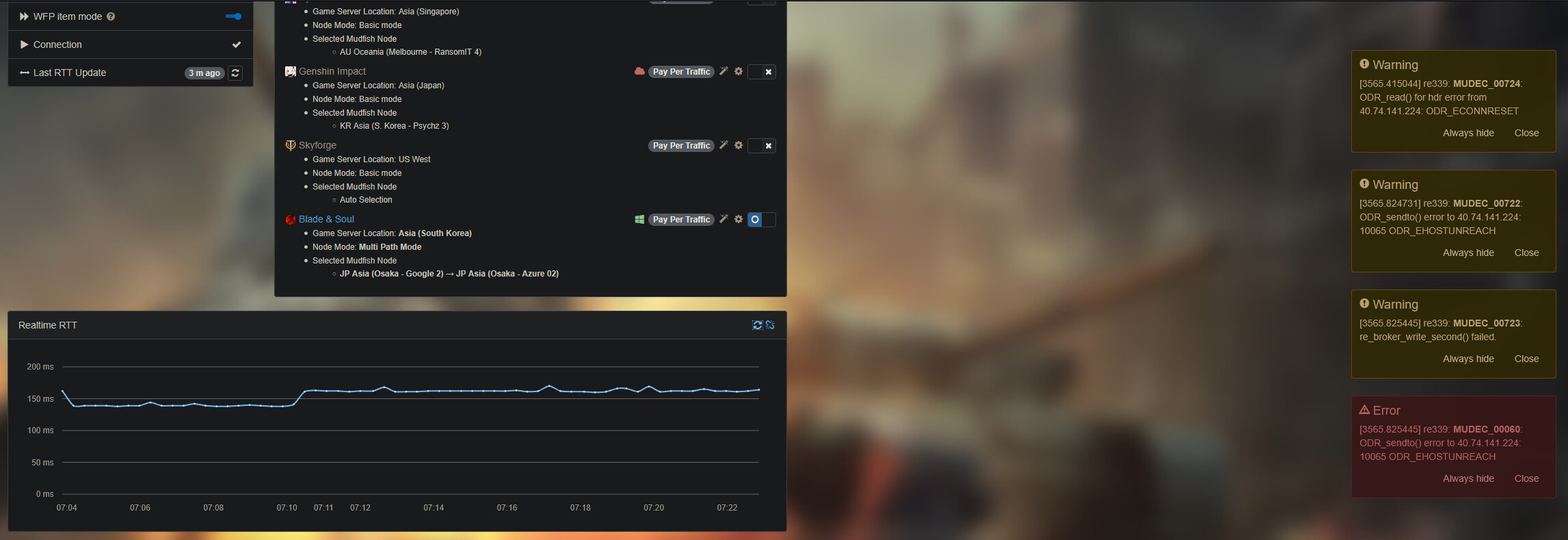
Also encountered this error today:


Latency is all over the place…

Today:

Yes it should if I implemented it properly. :slight_smile:

For this case, please check MUDEC_00724 for this case. I think you can ignore this issue.

However if possible, please send us Problem Report if it’s continually happening.

Okay, so explain how I still get above my expected latency when I choose a node close to me and then the game server?

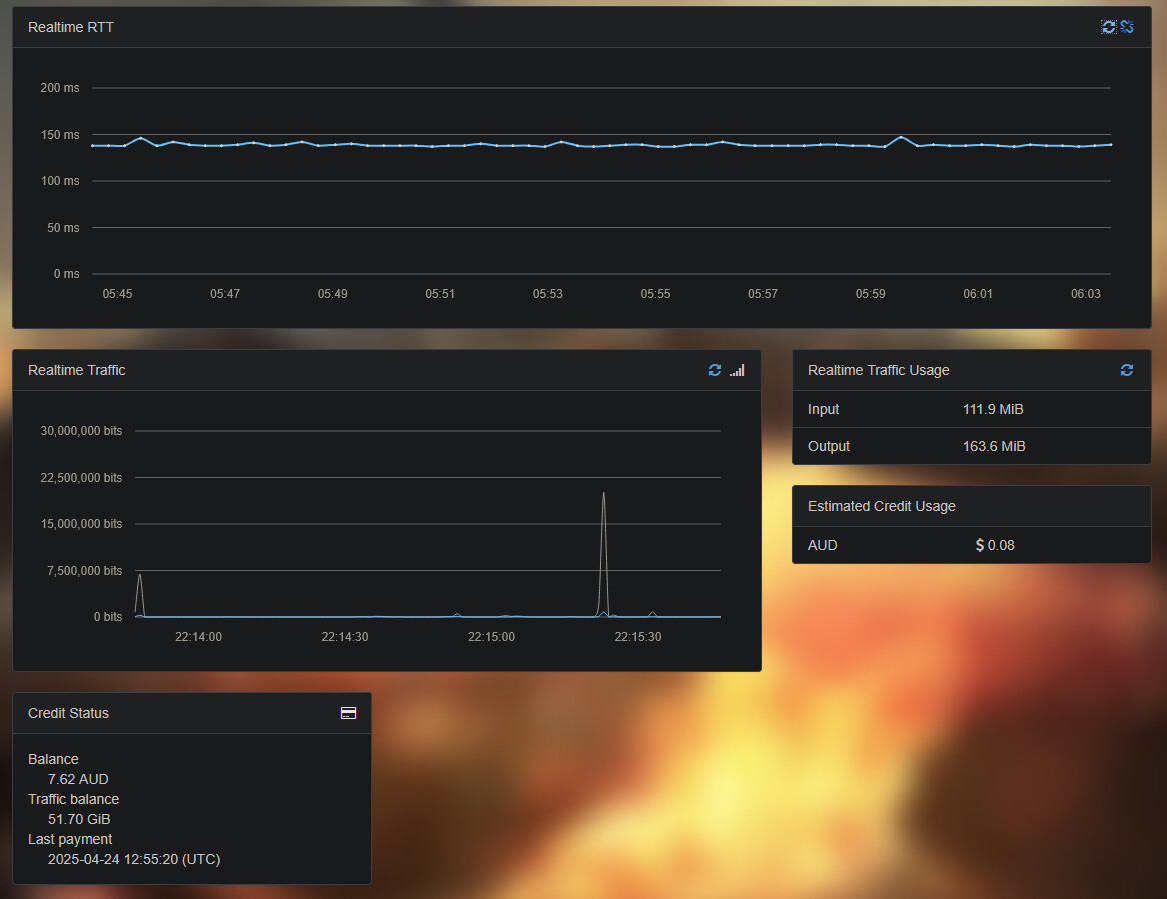
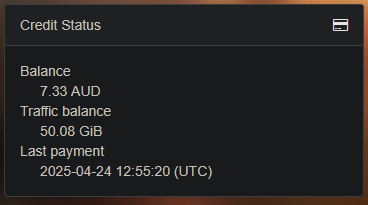
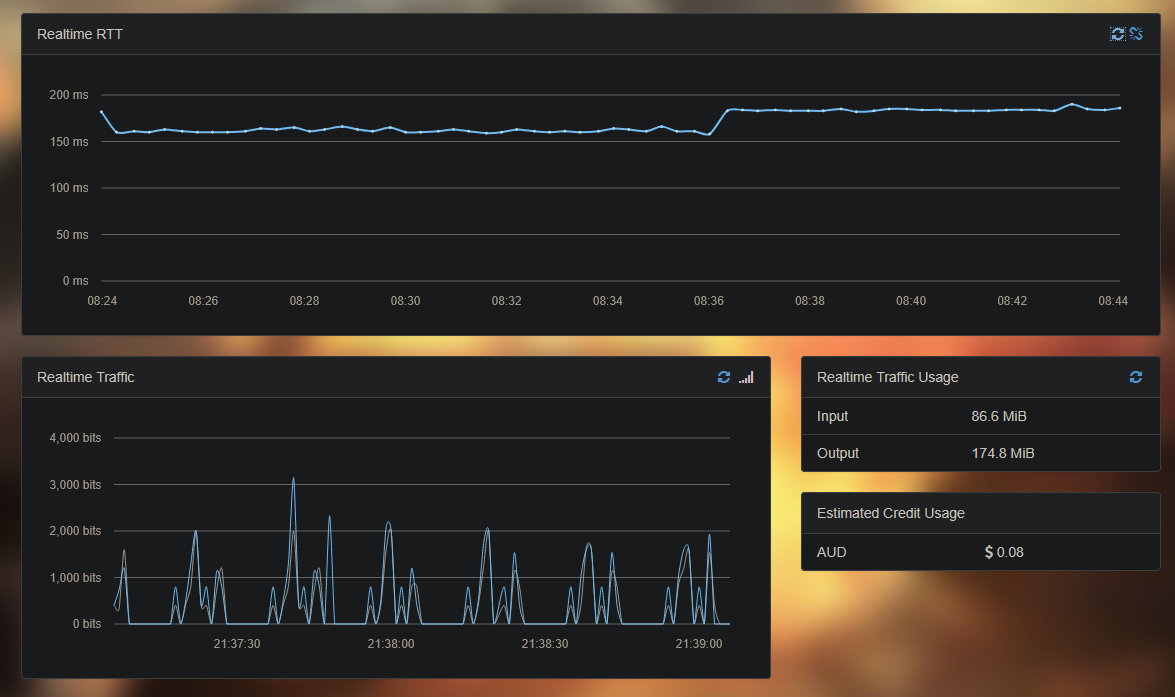
Currently I’m having to use JP Asia (Osaka - Google 1) → JP Asia (Osaka - Azure 02) and the estimated credit usage is nowhere near actual usage.

After disconnecting when done playing for the day.

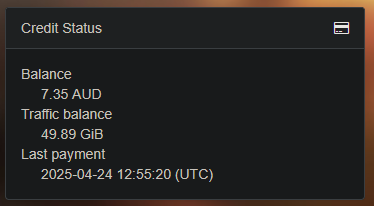
Current Balance the following day:

I think using Multi Path Mode with Pay Per Traffic is not cost effective.

Which expected laytency do you point at the above comments? There are multiple screenshots in the previous comment so I have no idea what you’re pointing frankly..

Please visit ‘Account → Edit profile’ menu to enable the Connection Log feature to see where your traffics were used. You can find it at Sign In - MUDFISH: Acceleration As a Service link.

At this moment I don’t know why because as default we’re not doing any kind of logging to trace your traffics for privacy protection. So after enabling it, you can see connection logs at ‘Status → Access Log’.
This topic was automatically closed 21 days after the last reply. New replies are no longer allowed.