I was using Basic mode and nodes HostUS3 or Google3 on Game Server Location: Asia (Singapore - Faceit). After one game, the data usage was still about 400KiB on both output and input. and packet loss situation is about the same without using mudfish. Tested with packetlosstest.com and speed.cloudflare.com, and I don’t see loss connecting to HK and SGP server.
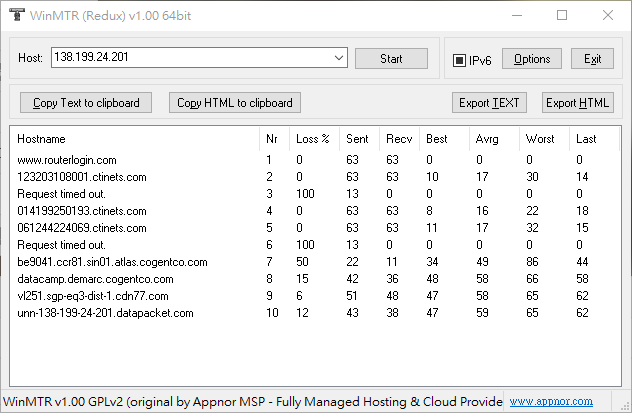
So I did a test with WinMTR with one of the latest faceit server I played. The picture shows result without using full VPN mode, and it seems to match my in-game situation with ~50ping and 2-8% packet loss. After turned on full VPN mode, WinMTR shows no packet loss and average ~36ping.
I tried re-equip item and it’s the same. Is my traffic in-game not being redirected? Could there be anti-cheat related stuff from faceit blocked using VPN?
Between, ac-client-ws.faceit.com < This is the hostname that faceit support suggested me to check connectivity situation on. I don’t know if providing this helps you. But it use different
IPs for every game.

 You can find your topics at