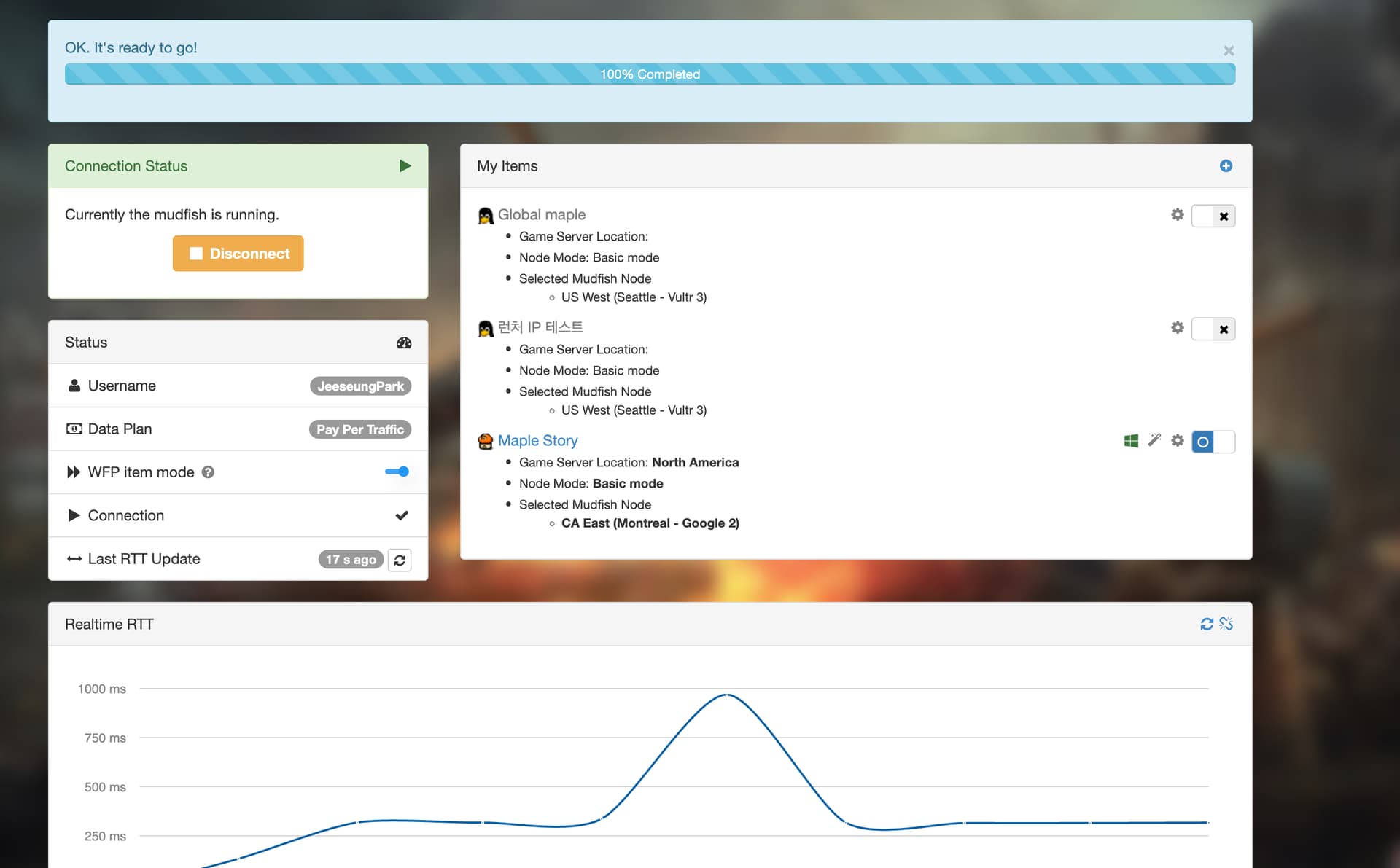
I’m using Mudfish 6.6.0 on macOS to play Global MapleStory Classic World from South Korea through the official Mac launcher.
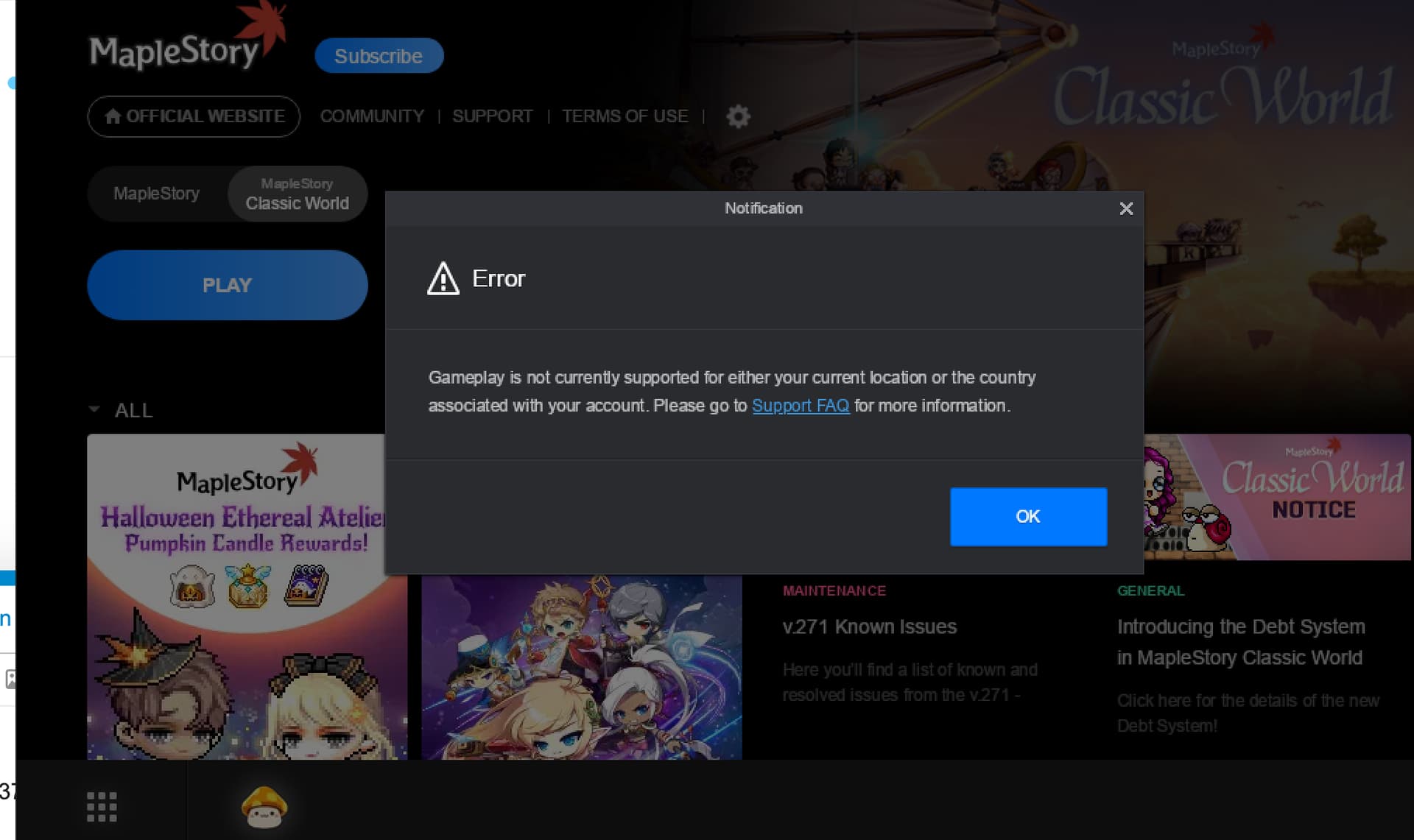
The game launches successfully with Full VPN enabled. However, with Full VPN disabled and WFP item mode enabled, using the same US node, I receive this error:
“Gameplay is not currently supported for either your current location or the country associated with your account.”
I have tried:
The standard MapleStory item with North America selected.
A separate custom item containing the destination IP addresses observed in Mudfish Network Monitoring.
None of these resolved the issue. However, routing Safari through WFP item mode successfully shows a US IP address with Full VPN disabled.
The WFP Proxy logs confirm that the custom process rules were loaded, but the recorded TCP and UDP session counts were 0. Network Monitoring shows external HTTPS connections under Nexon Launcher.
Could you investigate whether WFP item mode supports the official Wine-based Mac launcher and identify the correct application identifiers or routing configuration? I would like to route only the launcher and game traffic without enabling Full VPN.
Thank you for reaching out to Mudfish VPN support, and we appreciate the detailed tests you’ve already performed on macOS.
I have recently updated the macOS-related configuration for the MapleStory item to better work with WFP Item Mode. Could you please give it another try by following these steps?
Disable Full VPN mode and your custom items (Global maple, 런처 IP 테스트).
Completely restart the Mudfish program so it pulls the latest item update.
Enable WFP Item Mode and use only the official MapleStory (North America) item, then launch the game again.
Please let us know if the region error persists or if the sessions still aren’t being captured after the update. Thank you!
I followed your instructions: disabled Full VPN and both custom items, completely restarted Mudfish, and enabled WFP Item Mode with only the official MapleStory item set to North America.
Unfortunately, the same region restriction error still appears: “Gameplay is not currently supported for either your current location or the country associated with your account.”
Full VPN mode worked previously, but the updated official item still does not resolve the issue. Could you please investigate further and let me know which logs you need?
Hi @hakubro, thanks for testing. Please keep WFP off for now in the setup that works. Does that setup require Full VPN?
To check the process rules, enable Full VPN + WFP and collect a process dump: Advanced → Process Dump → Start, launch the game until the error appears, then Stop → Upload.
Please share the generated topic link, macOS/Mudfish versions and node name. If the capture is empty, submit Support → Problem Report immediately after reproducing, without restarting Mudfish.
Hello, I would like to clarify. Mine is not on MacOS. It works when on Full VPN + WFP and when WFP is turned off, but does not work with no full VPN and WFP on. The relevant processes that were captured from the process dump were:
One thing though, if a user logs in using Google auth, it doesn’t redirect properly back to Nexon Launcher. Maybe some other process needed. But if logging in with email and password, it works
Thank you for confirming that the rules are working on macOS! For now, please use the email/password login method, which is working properly.
Google login may involve the browser or a separate authentication process, so some traffic may not be covered by the current rules. Using the same relay server, please briefly enable both Full VPN and WFP and compare whether Google login works. After testing, please turn Full VPN off.
For further investigation, go to Settings → Program → Launcher and set the log level to TRACE. Then, with Full VPN disabled and WFP enabled, reproduce the issue and, without restarting Mudfish, send us a Problem Report.
Please also let us know which browser you are using, your macOS, Mudfish, and browser versions, and the result of the Full VPN comparison test. We’ll check the details.
 I hope now everything goes well with mudfish. Please let me know if there are any other problems.