Hello I have recently just installed mudfish for Genshin Impact, and its visible in my windows that genshin only used up 75 MB of my data, but for some reason mudfish ended up using 1.9 Gb for a 1 hour session. I have attached the screenshot showing that I have only genshin enabled for routing data. Am I missing something? Help appreciated.
I was not using full VPN mode but had twitch on in the background, so I am not sure if that did anything, now my credits are in negative as well

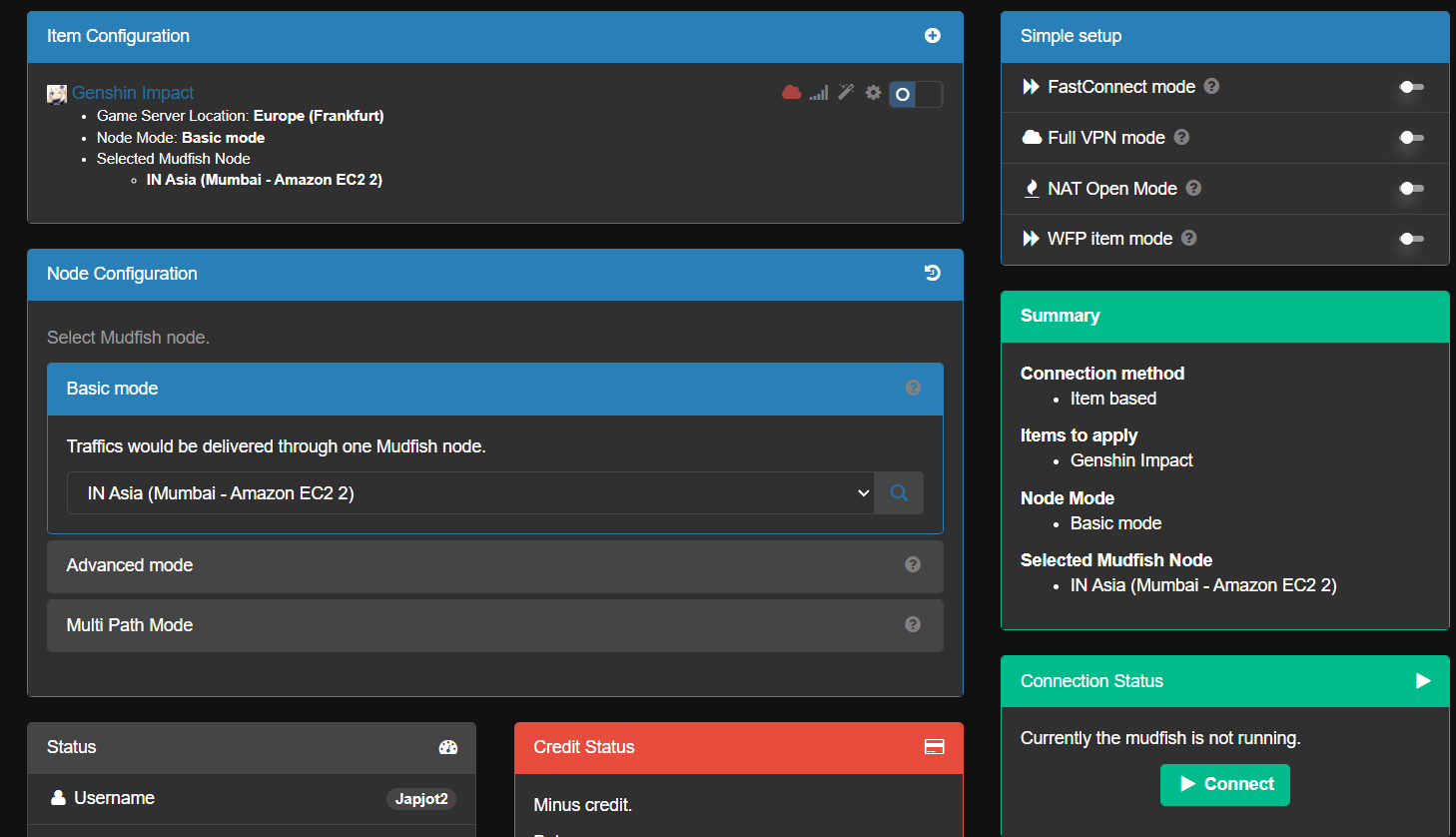


Try enabling the option ¨WFP item mode¨, that makes the program only use the generated traffic of the aplication that u have selected and not others
Should I also disable the web traffic in the settings?
If it doesn’t affect your game experience with Mudfish, I think you can exclude the web traffic too. 
Hello, So i tried enabling WFP mode, disabling web traffic and even adding twith,tv to the exclusion in webtraffic but it still uses my data from twitch.
Is there any possible solution? or do i have to just not watch twitch
@Japjot2 Could you please confirm that the game works fine with Full VPN mode + WFP Item mode enabled?
If it works fine on your machine, I think there’s more chance we can optimize.
No, twitch consumes data no matter what unfortunately,
I also wanted to ask if this is normal amount of consumption, because my game is consuming only 60 mb of data while mudfish consumed 400+ mb
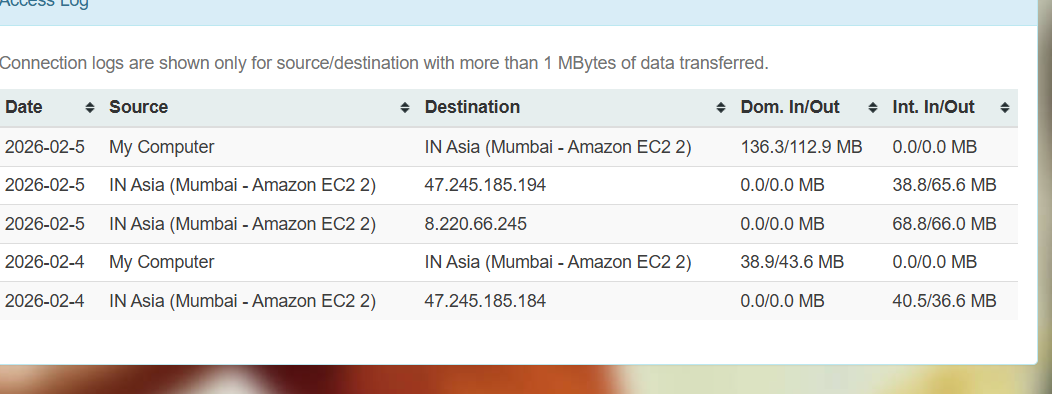
Could you please send me Problem Report while this issue is happening? I need to check the internal logs.
I have sent
Thank you for reaching out again! I’ve posted my response in the Private Support section under the topic you created. Could you please take a look there at your convenience?
You can find your topics here: Sign In - MUDFISH: Acceleration As a Service
Thank you for your prompt support and help so far. I switched to FastConnect Mode and my data is getting used less now. However I still get some sudden spikes sometimes. I sent another problem report.
Thanks
This topic was automatically closed 21 days after the last reply. New replies are no longer allowed.