I keep getting this error and the RTT avg and RTT std is way too high, what should I do?
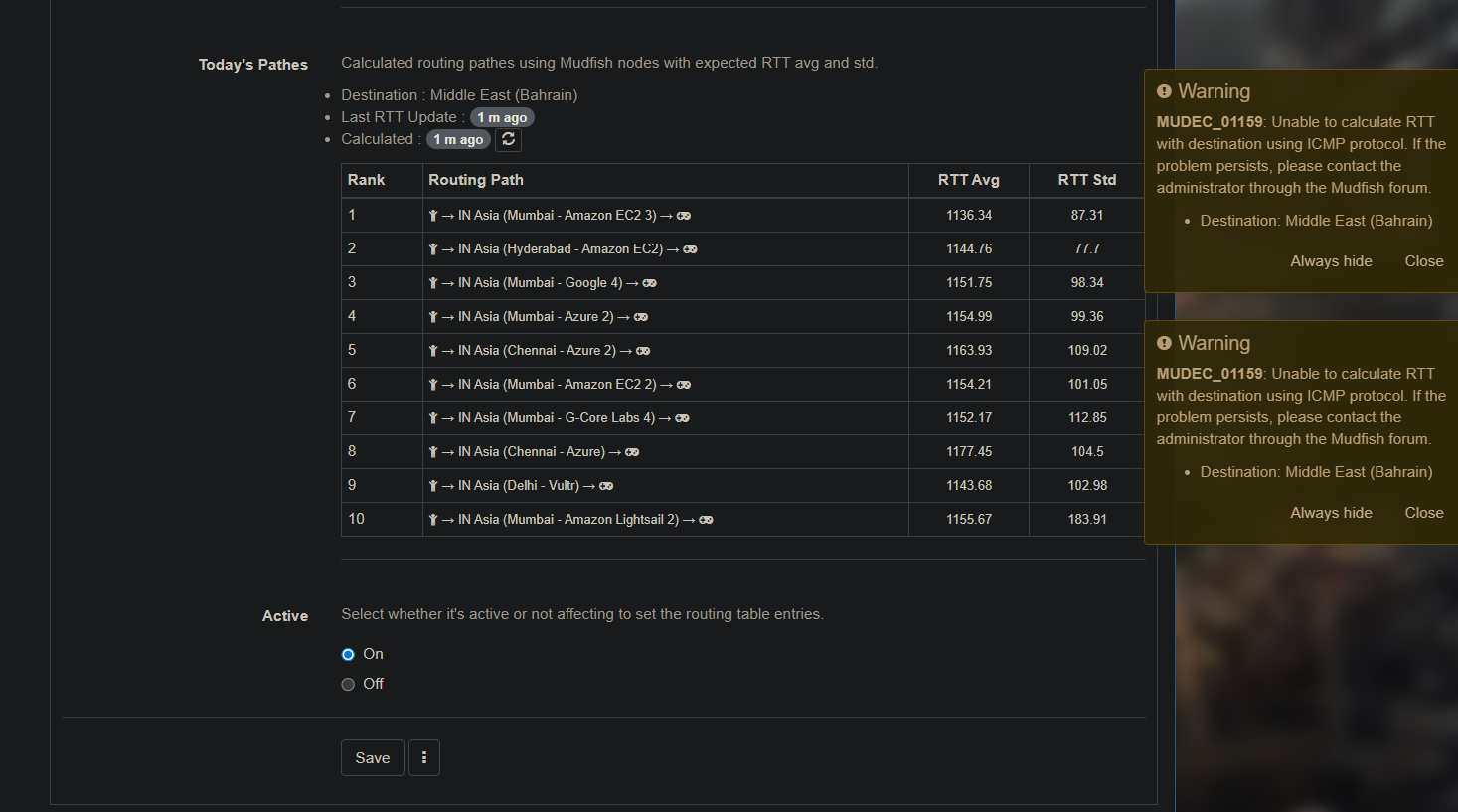
and anything I try isnt working aswell, im still getting high ping in fortnite with mudfish.
Regarding the Middle East (Bahrain) destination, those game servers are usually hosted on Amazon AWS. However, recent drone attacks severely damaged data centers in that region. Our Mudfish servers there went down, and the game servers might have been affected or relocated.
To help us investigate the current server status, could you please send us some game packets? You can find a detailed guide here: Packet Capture with Mudfish.
hello sorry for being late I was a little busy, I uploaded the game packets, I was getting 90 ping with extreme packet loss so the game was still unplayable, in the 3 day trial with exitlag I was getting a stable 70ping with no packet loss, can you please do tell me how to fix it with mudfish?
Thank you for reaching out! I’ve posted my response in the Private Support section under the topic you created. Could you please take a look there at your convenience? 
You can find your topics here: Sign In - MUDFISH: Acceleration As a Service
1 Like
yes its working now! thank you so much! I will continue using and supporting mudfish from now.
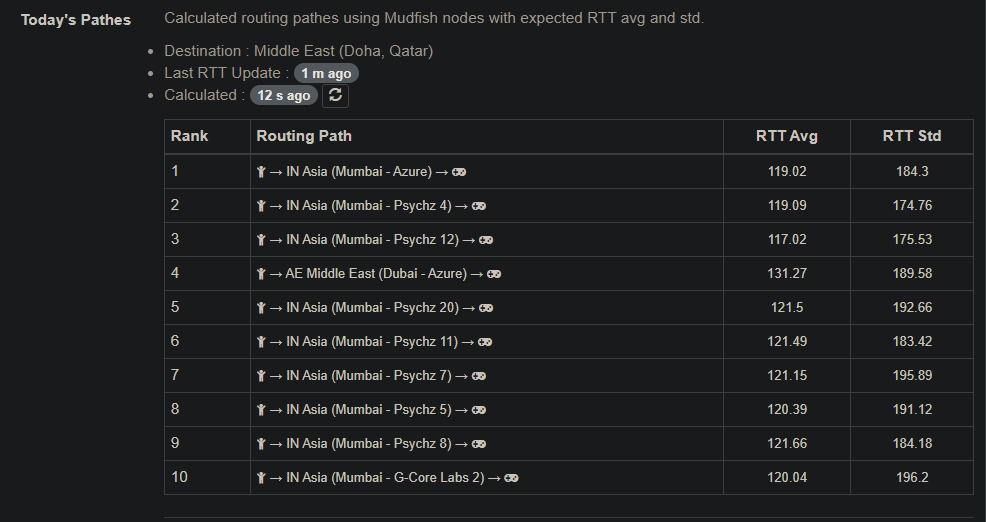
I used pingplotter to check if my isp is at fault and I think my isp is just horrible, could it be that I need to change my isp provider? I was getting alot of jitter when I checked. Or is it a problem which can be fixed with mudfish?
@boomshakalaka Please try to test your network status from your desktop to 34.18.169.6 (Fortnite - Middle East (Doha, Qatar)) using How to use Mudfish MTR link. I think you need to do two tests; one without mudfish and another with mudfish connected.
I think this result shows you where this issue is from.
This topic was automatically closed 21 days after the last reply. New replies are no longer allowed.