while using mudfish the the game tries to detect my country and show it in the game. I turn on “Exclude web traffic” option found under “Setup → Program → Exception Rule”, and it fix that issue. Basically, im from Portugal and i dont want people to see im playing in a different country because its bannable, so i ask if its possible to make the exclude web traffic turned as on by default only for Roblox, if u want i can send u the game where the fflag is displayed in the tab so u can test
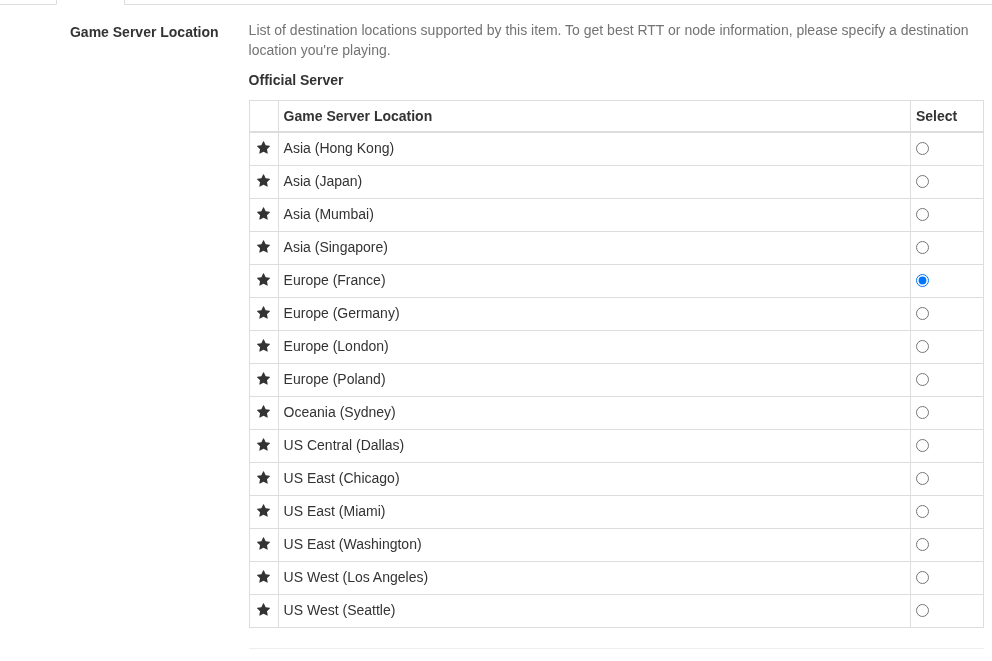
Regarding to the missing proble, it looks like we need to update the game item. If possible, please check Packet Capture with Mudfish link and send us some game packets. We need it to analyze the game traffics.
Umm… it’s not easy with current Roblox game item of Mudfish because it includes all routing pathes.
I think you might need to check Create Custom Item and try to test the per-process rules with the exclude options.
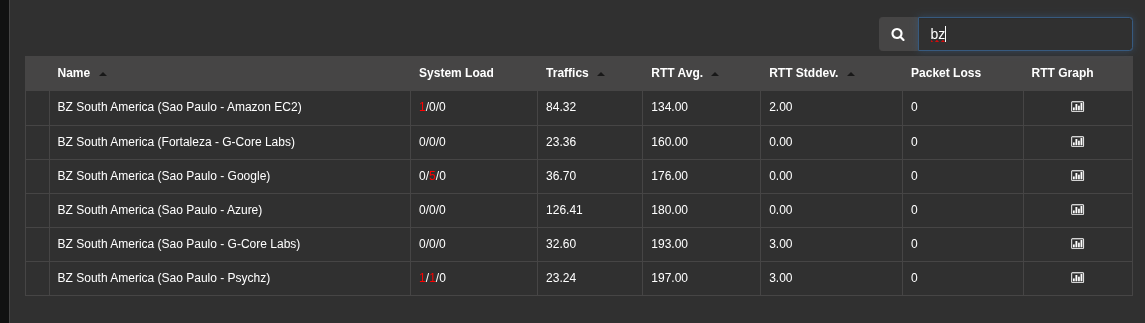
alright so when i enable cloudflare warp and update the nodes my ping in Brasil stay like this:
if i dont use cloudflare warp and update the nodes it goes to this:
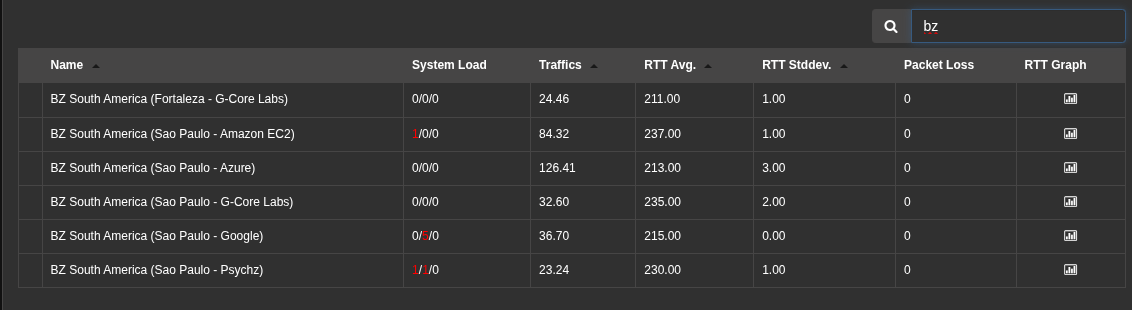
p.s. how do i stay with the rtt in the first image forever? can i simply use cloudflare warp to give better rtt, then disable it and use the node with the ping of warp in mudfish?
Packet dump’s:
well i dont know why but the option i told u which is “Exclude web traffic” option found under “Setup → Program → Exception Rule”, i cant find it anymore, how can i play roblox without it changing my country ingame? the exception rule used to work
I don’t think Mudfish works together with Cloudflare WARP. So I think you might need to enable only one at a time.
I’d left my answer on the packet dump topic you uploaded at Private Support menu. Please check it there.  You can find your topics at My Topics link.
Normally, “Exclude web traffic” option could be found under “Setup → Traffic” menu.
okay, well it looks good thanks for adding it for roblox, i really appreciate it!
thats true im sorry, i got confused
is there any way to reduce the rtt? i remember i used to get way lower ping for singapore for example 169 ping in mudfish, now brazil and singapore is 200 ms+, i can get way lower if i use exitlag but im currently using linux. so im asking if theres a way to reduce rtt
screenshots with routes that make me get good ping in brazil, is there a way to make a similar setup in mudfish?
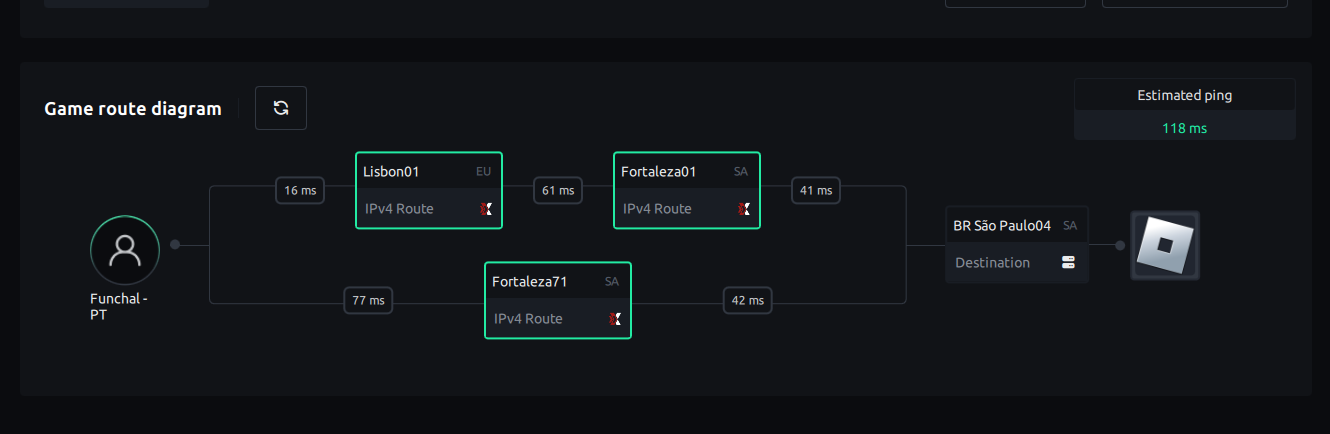
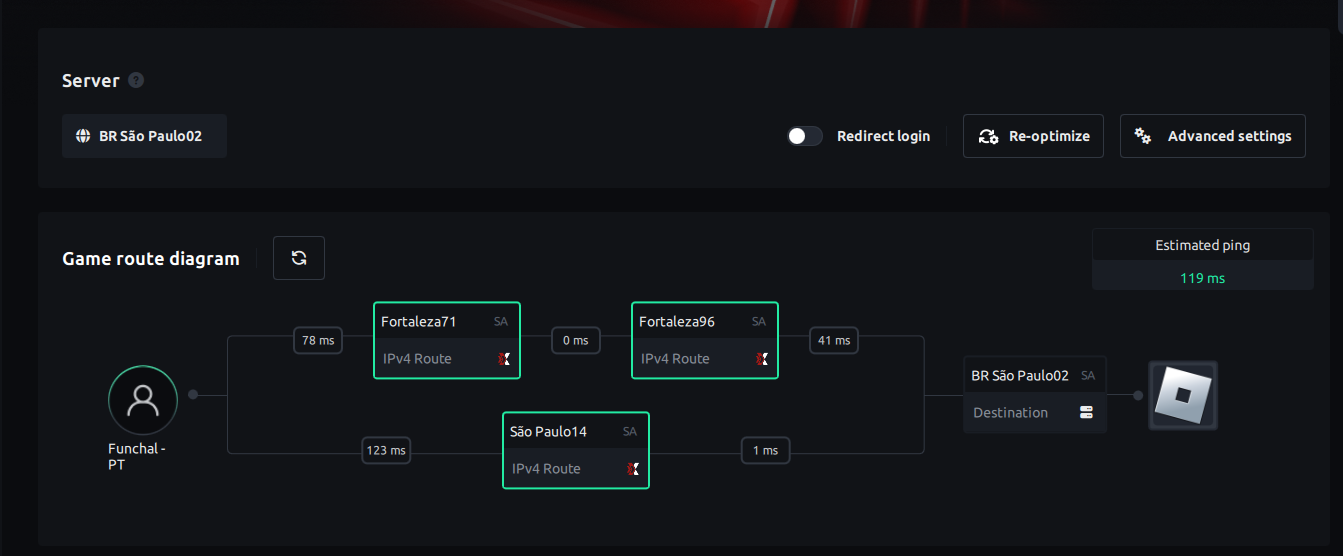
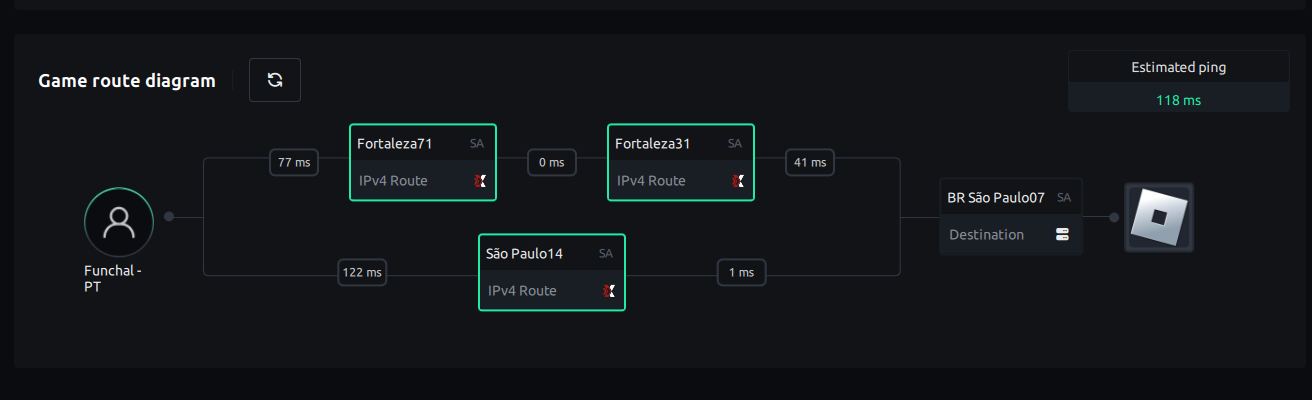
 When I checked this issue properly, it looks like Mudfish doesn’t have a good peering node at Europe (Lisbon) or Brazil (Fortaleza). Let me find some more server providers.