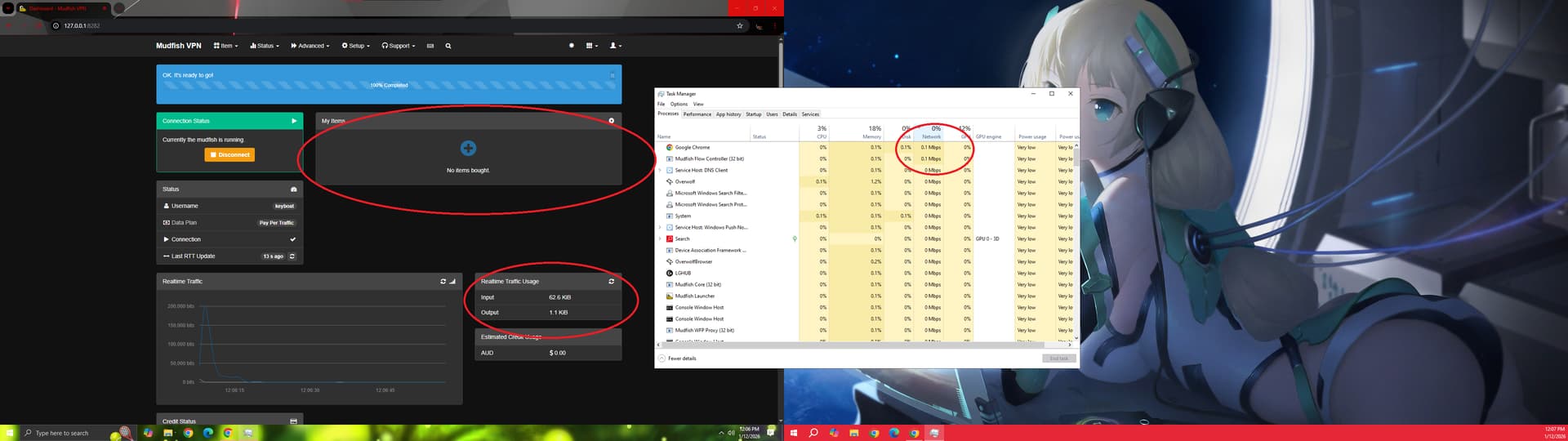
long story short, even when i have nothing in my item list, no games and steam isnt running, device manager even shows only Mudfish is using the network. and its eating up my credit sionce theres traffic.
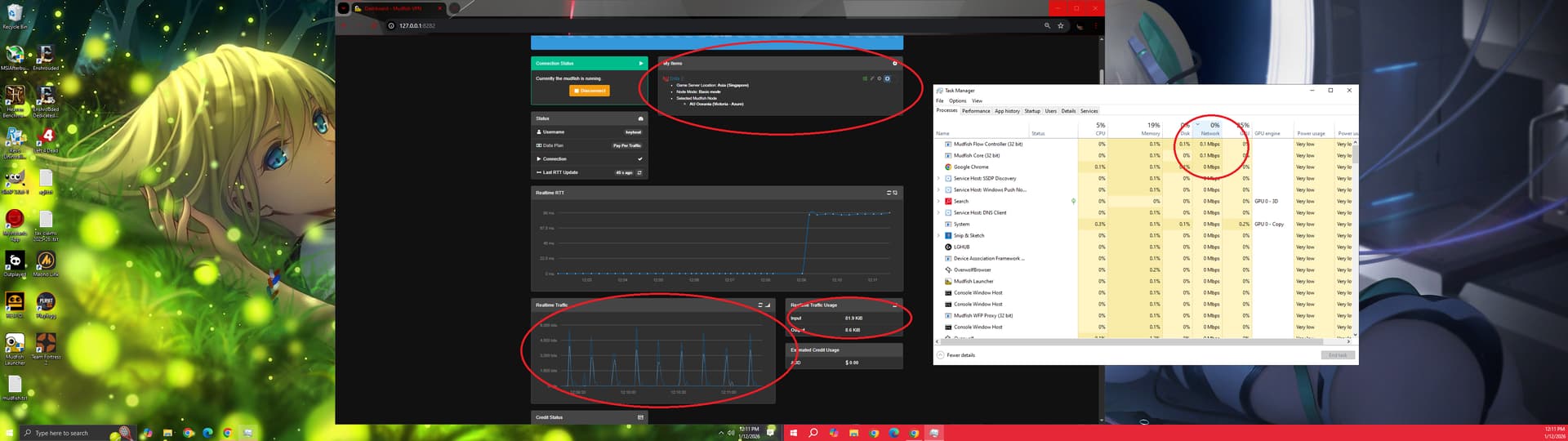
when i reapplied dota2 in my items, even when dota2 nor steam are up, theres a constant spike of data traffic in the graph. please help
the longer story:
why is it now eating up my balance even when im not using it?
being a poor person, i have been closely observing my balance and data usage.
I only use this app for DOTA2 and have been very happy with the results, even ended up getting my wife and cousin to get it too which they did.
but i have noticed these past couple of days, the my data is running even when im not playing dota2.
so i did a couple of tests. and it turns out the its almost as if im on full VPN mode which im not, and i have toggled it just to make sure.
I even deleted my items and once i connect, even without equipped item, my data still runs in the traffic.
I have done the same tests when i started using mudfish and have proven to myself that i am not consuming data when i am connected, with Dota2 equipped in my item, as long as im not playing dota. i have also tried streaming with it on and connected, and it consumed zero.
long story short, before, its only consuming data when im playing dota2, but now, as soon as i connect it, its also running even when im not doing anything.
I am aware that i will be advised to disconnect mudfish when its not being used, but i also stream while playing dota2 which beats the purpose.
the reason i liked mudfish more than others is that it only reroutes my specified game and not the rest of my network.
now, AI replied with some troubleshooting steps to which we have tried, but didnt work
mudfish is the only thing using the network in this screenshot, and i have also deleted my Dota2 item this time. (please refer to image 1)
I have tried the suggested troubleshooting steps,
made sure my app is up to date, installed current v6.2.2
switched to UDP
there was no presence of Mudfish TAP or virtual adapters in my network connection
i also found an “exclude web traffic” option in the settings and tried that on but didnt help.
and this is what it looks like (please refer to image 2) , when i have the dota2 item on. theres nonstop spikes of traffic, which i never noticed before. Even when dota2 nor steam arent opened.
and in the task manager, only mudfish is using the network. oh and have i mentioned that full VPN has been off the whole time? i also tried to toggle it on and then off