1st of all, much thanks to the Mudfish team for having a product that’s consistent and incredible over the years!
I am aware that recently there’s some underwater cable that’s degraded, particularly from and to Singapore/Australia. I understand this is not directly Mudfish’s preview.
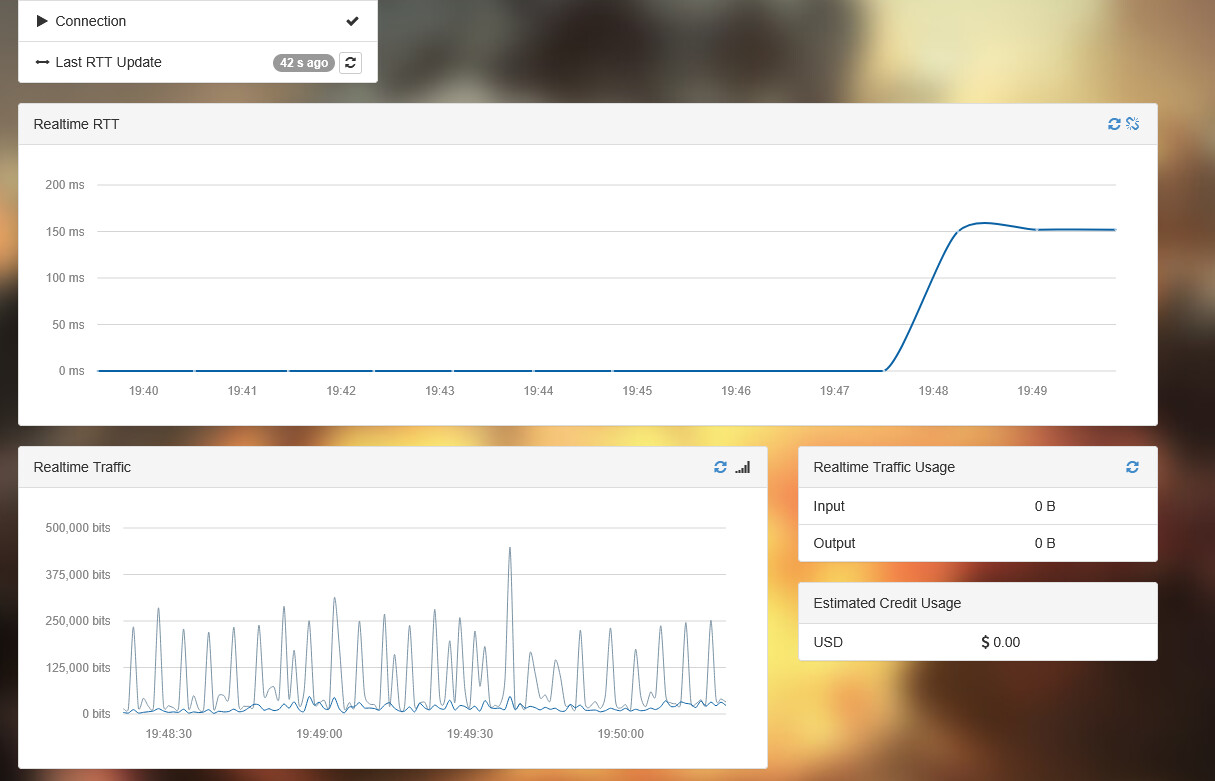
Currently at the point of this post, the native ms for WoW playing at an Oceanic server is around 150 ms for me. However despite using the mudfish vpn, the ms does not appear to change, or sometime even increase slightly. The anticipated ms when using mudfish is around 90 ms for reference.
Due to the degradation issue from the cables, my guild mates have all reflected an increase in ms in general, however those using exitlag for example, had their ideal services ‘‘restored’’, they are now back at their vpn ms. I am wondering if mudfish team is currently able to also reroute some network so the rest of us might also be able to continue to use your service?
Thank you for your continued support! An alternate route may help, but we can’t promise a return to 90ms.
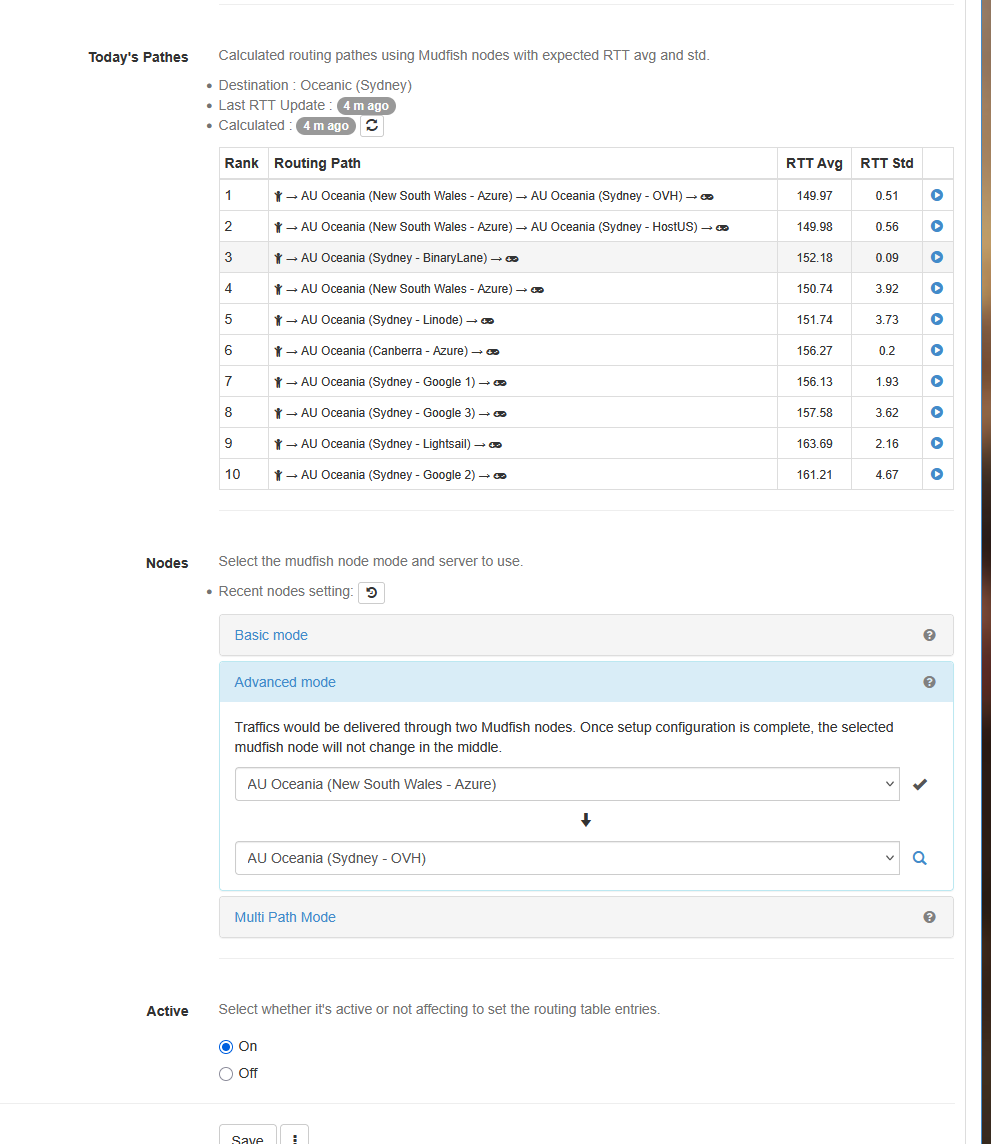
In Setup → Nodes, enable “Include the result for the advanced mode.” Check Today’s Paths for WoW → Oceanic (Sydney), then test a lower-RTT route with low RTT deviation using Advanced Mode. Save and restart Mudfish and WoW.
If it stays near 150ms, please share your ISP, the tested node pair, a screenshot of those route results, WoW’s Home/World latency, and the test time/time zone so we can investigate further.
ISP is Singtel
Test time is 7.57pm SGT 26th Sep 2026
Time zone is GMT+8
Additional info -
Said PC access point is from Singapore, playing on Barthilas ( Oceanic ) Server. No other known manipulation or edit of network information as most settings are directly from vendor or out of box.
Added from Blizz -
“L” (Local / Home) Latency
What it does: Measures the connection for background social systems.
Handles: In-game chat, guild roster updates, item tooltips, the Auction House, and Battle.net whispers.
Impact: If this number spikes, your messages will be delayed and menus might take a long time to open, but your character can still fight normally.
“W” (World) Latency
What it does: Measures the connection handling actual combat and environment gameplay data.
Handles: Casting spells, using abilities, movement of your character, positions of NPCs, and combat mechanics.
Impact: If this number spikes, you will experience severe “gameplay lag.” Your spells won’t go off, enemies will freeze or teleport (rubberbanding), and you could easily disconnect.
Please let me know if any info furbished might not be accurate, esp route results. I am not particularly saavy with network protocols and thus might require further education and directions as to how to get the required information for further investigation/assistance.
Checking the current routing data, all available paths between Singapore and Australia are currently sitting around 150 ms or higher. This is directly tied to the ongoing undersea cable degradation between Singapore and Australia (you can track updates via status trackers like Network Status – Aus Internet ).
Because the physical international links are impaired, traffic is being rerouted along longer backup paths, meaning Mudfish cannot bypass this physical latency limitation at the moment. Until the undersea cable repairs are completed, reaching your usual ~90 ms latency will unfortunately not be possible.
We recommend keeping an eye on the cable restoration status and testing routes in Today’s Paths once repairs make progress. We appreciate your patience and understanding.
You’re very welcome, and thank you for your patience and continued support! We hope your latency improves soon too. If you notice any changes or need help checking routes again, please reply here.